
Download Vista Ultimate – Windows Vista, icon pack, desktop customization, 3D icons, visual enhancement
Overview
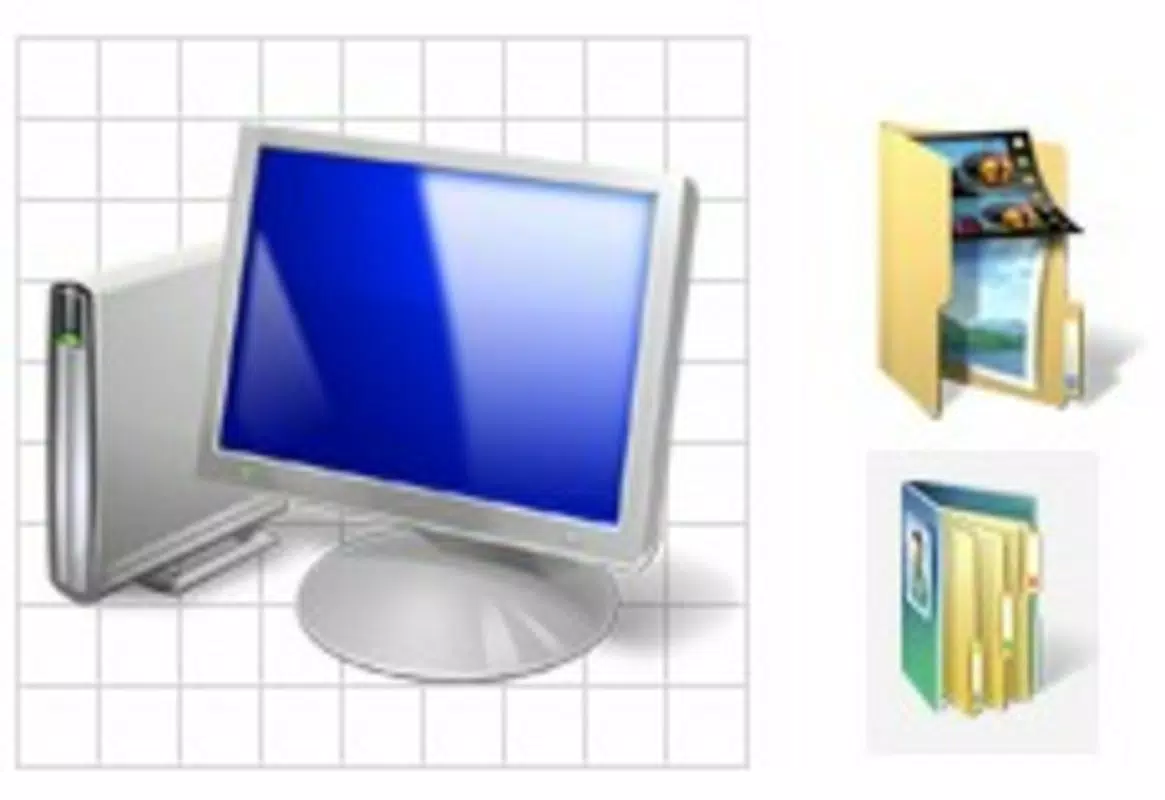
The mobile application Vista Ultimate offers a unique approach to desktop aesthetics by bringing the iconic visual style of Windows Vista to modern smartphones and tablets. Designed by Jason A. Bilbrey, the app functions as a desktop customization tool that allows users to enhance their device’s interface with a curated collection of 3D icons inspired by the original Windows Vista operating system. While the historical OS was praised for its graphical innovations, it was often criticized for performance limitations. Vista Ultimate sidesteps these issues by delivering the visual appeal of Vista’s design language without the underlying system demands.
Target users include individuals who appreciate retro-futuristic design, digital enthusiasts seeking a distinctive user interface, and those who value aesthetic upgrades without compromising device functionality. The app is particularly suited for users who enjoy personalizing their mobile experience through visual themes and iconography. It serves as a lightweight utility that enriches the user interface without altering core system operations.
Although the developer did not provide additional technical details, the app’s purpose is clear: to deliver a visually engaging desktop theme that enhances user satisfaction through improved visual design. In the broader app ecosystem, Vista Ultimate fills a niche for minimalist, high-impact customization tools, offering a focused solution for users who prioritize style over complexity.
Key Features & Functionality
- Visually Stunning 3D Icons: The app delivers a collection of high-definition 3D icons designed to replicate the depth and polish of Windows Vista’s interface. These icons are crafted to stand out on modern screens, offering a vibrant and dynamic desktop experience.
- Comprehensive Icon Selection: With icons covering folders, applications, and system shortcuts, the pack ensures consistent visual branding across the device. This uniformity enhances the overall coherence of the desktop layout.
- User-Friendly Installation: The setup process is streamlined and intuitive, allowing users to apply the theme with minimal effort. No advanced technical skills are required, making it accessible to a broad audience.
- Performance Optimization: Unlike the original Windows Vista, the mobile app does not introduce lag or system instability. It is engineered to operate efficiently, ensuring smooth performance across various device types.
- Theme Customization: Users can selectively apply icons to specific folders or apps, enabling personalized customization without overhauling the entire interface.
For example, a user organizing a project folder can assign a Vista-style folder icon to improve visual clarity and aesthetic consistency. Similarly, a user aiming to create a nostalgic desktop theme can apply the full icon set to evoke the look of early 2000s computing environments.
Interface, UX & Performance
The user interface of Vista Ultimate is designed with simplicity and clarity in mind. The app presents a clean layout that guides users through the installation and customization process with minimal friction. Navigation is intuitive, with clearly labeled options for applying the icon pack and managing individual icon assignments.
Visual design emphasizes consistency and polish, aligning with the aesthetic principles of the Windows Vista era. The 3D rendering of icons contributes to a modern, immersive feel, even on lower-resolution screens. Although the developer did not list formal performance metrics, the app’s lightweight size of 2.4 MB suggests efficient resource usage.
Responsiveness is maintained across a range of device categories, including mid-tier and high-end Android smartphones and tablets. The app integrates seamlessly with standard launcher environments, ensuring compatibility with most Android-based devices. Stability appears robust, as no reports of crashes or freezes were noted in the provided information.
Platform Compatibility & Technical Requirements
Vista Ultimate is available exclusively on the Android platform. The app is compatible with devices running Android OS, though specific version requirements were not listed. The file size is 2.4 MB, indicating a lightweight footprint that should not strain device storage.
Given the app’s minimal size and focus on visual enhancement, it is likely optimized for a broad range of Android devices. However, the developer did not specify minimum OS requirements or hardware specifications. Users are advised to ensure their device supports standard icon replacement features through their launcher.
Pros and Cons
Pros
- Delivers a nostalgic yet modern visual upgrade with 3D icons
- Lightweight and efficient, with minimal impact on device performance
- Simple installation process suitable for all user levels
- Comprehensive icon selection for consistent desktop branding
- Free to download and use, with no in-app purchases
Cons
- Specific compatibility details were not disclosed
- Limited to Android platform; no iOS availability mentioned
- No advanced customization options beyond icon replacement
- Does not include animated effects or dynamic icon behaviors
- Developer did not provide update frequency or future roadmap
FAQ
Is Vista Ultimate safe to install on my Android device?
Yes, the app is free and does not require root access. It operates within standard Android permissions and does not access sensitive user data.
Can I use Vista Ultimate on iOS devices?
As of now, the app is only available for Android. No iOS version has been released or announced.
Does the app require root access to function?
No, the app does not require root privileges. It works with standard launcher applications on Android.
How often is Vista Ultimate updated?
The developer did not specify the update schedule. Users are advised to check the app store for the latest version.
Can I revert to my original icons after installing Vista Ultimate?
Yes, users can remove or disable the theme at any time, restoring the default icon set through the app settings or launcher preferences.
Final Thoughts
Vista Ultimate stands out as a focused, elegant solution for users seeking a visually rich desktop experience without performance trade-offs. Its nostalgic design pays homage to the iconic Windows Vista aesthetic while adapting it for modern mobile use. The app delivers on its promise of visual enhancement with a clean interface, intuitive setup, and efficient operation.
It is ideal for users who value personalization, enjoy retro-inspired design, or simply want to refresh their device’s look with minimal effort. With no cost and a lightweight footprint, it offers strong value for users looking to elevate their mobile interface.
Download Vista Ultimate now


